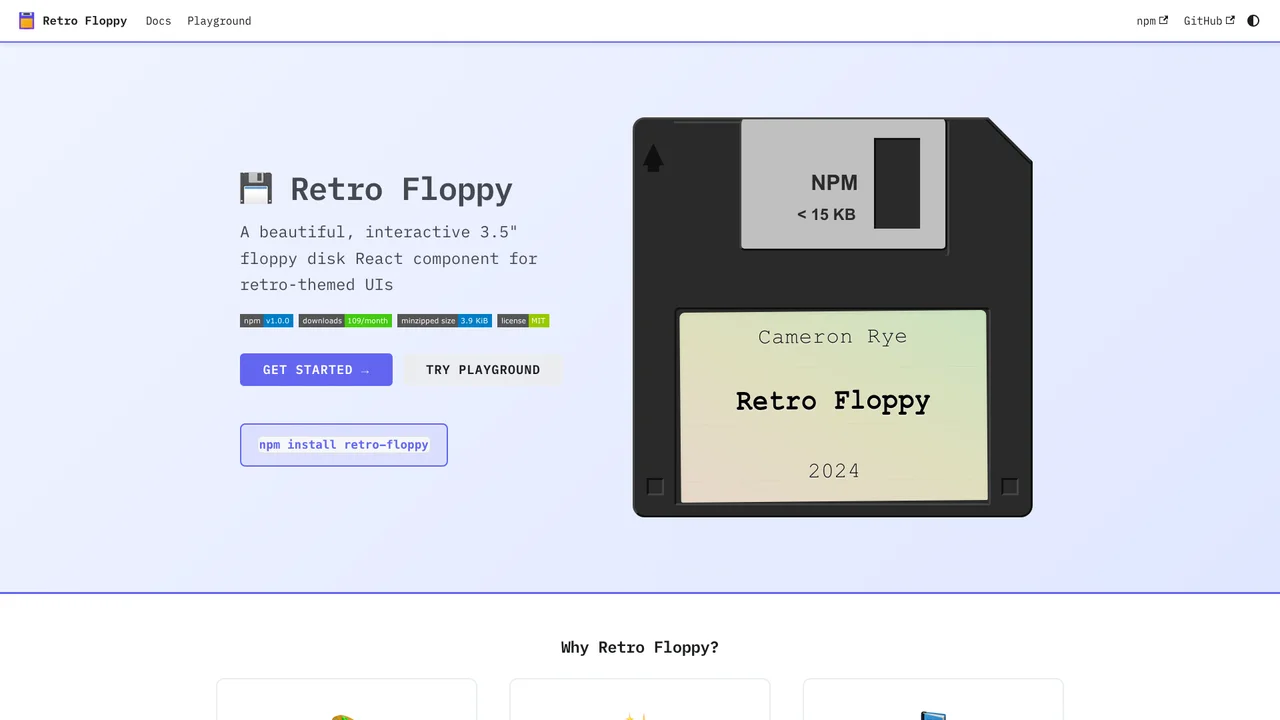
A 3.5” floppy disk held just 1.44 megabytes, yet it remains one of the most recognizable artifacts in computing. Retro Floppy recreates it as a React component, down to the details people actually remember: the spring-loaded metal shutter, the write-protect tab, the hub ring, and the hand-labeled sticker with its ruled lines.
Retro Floppy
Hover the shutter, or tap or focus the disk, to slide it open. Each click bumps the counter.
What was hard
Getting the disk to feel physical came down to a handful of CSS decisions. The metal shutter slides open on hover with a cubic-bezier timing curve tuned to mimic the spring-loaded action of the real mechanism, rather than a stock easing that would read as a generic UI transition. Depth comes from layered gradients and paired inset shadows that suggest molded plastic rather than a flat illustration. And because the disk is interactive, it had to work beyond the mouse: the component exposes a button role, keyboard activation, and ARIA labels so the novelty never costs accessibility.
Theme Customization
Choose from built-in themes or create your own:
import { FloppyDisk, NEON_THEME, RETRO_THEME } from 'retro-floppy';

// Use a built-in theme
<FloppyDisk theme={NEON_THEME} />

// Or create a custom theme
<FloppyDisk theme={{
  diskColor: '#1a1a2e',
  slideColor: '#c0c0c0',
  labelColor: '#ffffff',
  labelBg: '#2d2d44',
}} />
Event Handling
The component supports click and hover events:
<FloppyDisk
  onClick={() => console.log('Disk clicked')}
  onDoubleClick={() => console.log('Disk opened')}
  onHover={(isHovering) => console.log('Hover:', isHovering)}
/>
Key Features
- Interactive Design: Realistic floppy disk with sliding metal shutter animation on hover
- Built-in Themes: Light, Dark, Neon, Retro, and Pastel themes included
- TypeScript Support: Full type definitions with generics for type-safe props
- Customizable: CSS custom properties and theme objects for complete control
- Accessible: ARIA labels and keyboard navigation support
- Multiple Sizes: Tiny, small, medium, and large size variants
Quick Start
npm install retro-floppyimport { FloppyDisk } from 'retro-floppy';
import 'retro-floppy/dist/retro-floppy.css';
function App() {
return (
<FloppyDisk
label={{ name: 'My App', author: 'v1.0' }}
size="medium"
/>
);
}Was this helpful?
Want to learn more?
Ask can answer questions about this project's implementation, technologies, and more.