AI agents can now run external tools and reach into system resources, and the security model most software execution relies on wasn’t built for that. Microsoft’s Wassette takes a different line. It uses WebAssembly’s sandbox to run AI tools in a secure runtime, exposed through the Model Context Protocol (MCP).
Today most MCP servers run with unrestricted system access. Wassette replaces that with a capability-based model, where a tool gets fine-grained control over exactly which resources it can touch without giving up the flexibility that made MCP worth using in the first place.
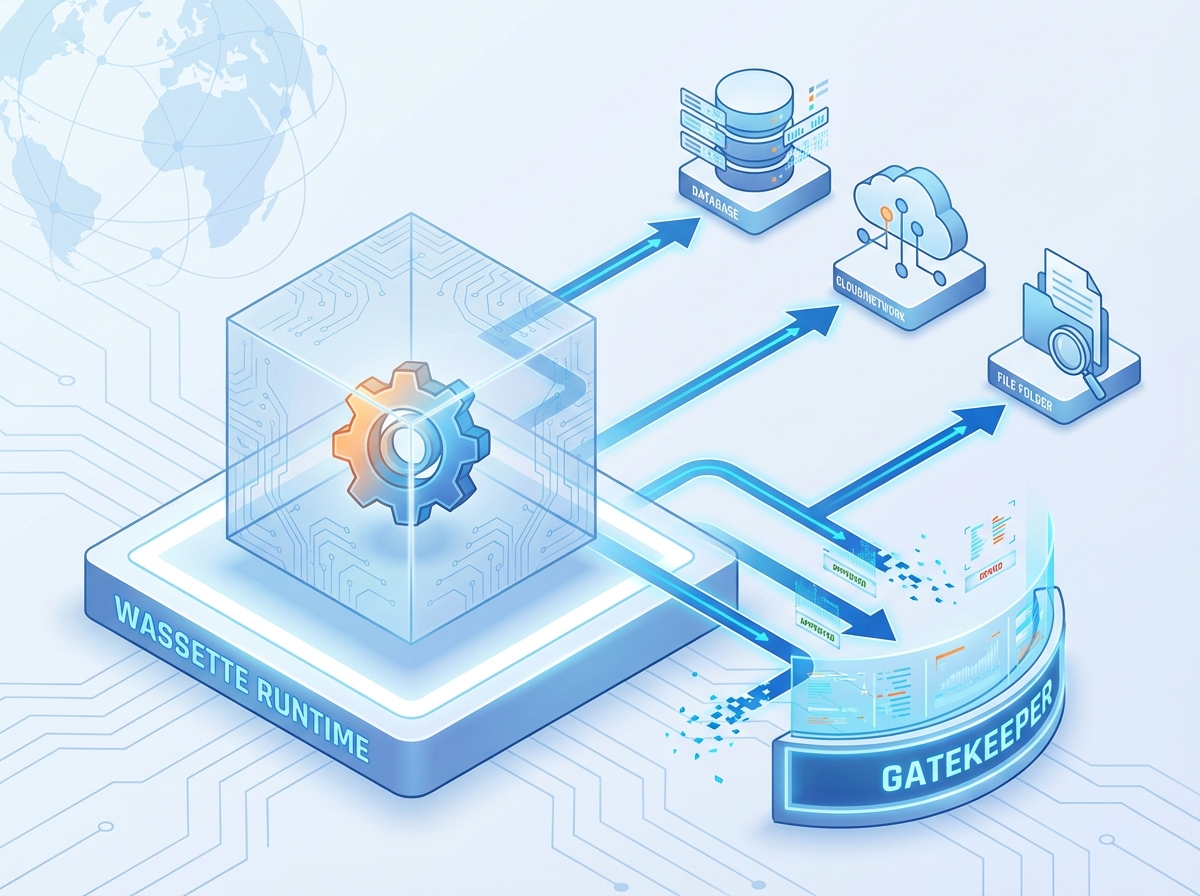
Understanding Wassette’s Architecture
Wassette (pronounced “Wass-ette,” a portmanteau of “Wasm” and “Cassette”) is an open-source MCP server implementation that runs WebAssembly Components in a secure sandbox environment. Unlike traditional MCP servers that execute as standalone processes with full system privileges, Wassette constrains tool execution within WebAssembly’s security boundaries while providing controlled access to system resources through explicit capability grants.
The architecture centers on three core principles:
Sandboxed Execution: Every tool runs within WebAssembly’s memory-safe, isolated execution environment, preventing unauthorized access to system resources, memory corruption vulnerabilities, and arbitrary code execution.
Capability-Based Security: Tools must explicitly request and receive permission for specific operations, including file system access, network connections, and environment variable access, following the principle of least privilege.
Component Model Integration: Wassette uses the WebAssembly Component Model (WASM Components) to give tools strongly-typed interfaces and interoperability across languages.
The Security Imperative
Current MCP deployment patterns expose significant attack surfaces. Traditional approaches include:
- Direct Binary Execution: Tools run via package managers like
npxoruvxwith full system privileges - Container Isolation: While providing some boundaries, containers lack fine-grained permission controls
- Standalone Processes: MCP servers communicate via stdio or sockets but inherit host process privileges
These patterns create vulnerabilities where a malicious or compromised tool can read arbitrary files, open unauthorized network connections, or run system commands. Wassette closes this off with a zero-trust model: nothing is available until a capability is explicitly granted.
Technical Implementation and Architecture
Wassette is built in Rust on top of the Wasmtime runtime, which gives it a memory-safe, fast foundation for running WebAssembly. A few key pieces:
Core Runtime Components
Wasmtime Integration: Wassette builds on Wasmtime, Mozilla’s production-ready WebAssembly runtime, inheriting its security properties and performance optimizations. Wasmtime provides the foundational sandboxing that isolates WebAssembly modules from the host system.
MCP Protocol Bridge: The runtime translates between MCP’s JSON-RPC protocol and WebAssembly Component interfaces, so existing MCP clients work unchanged while type safety comes from the Component Model’s interface definitions.
Permission Engine: A policy engine manages capability grants and revocations, supporting both static policy files and dynamic permission changes through MCP tools.

Component Model Integration
Wassette’s use of the WebAssembly Component Model is a step up from plain WebAssembly modules. Components provide:
Strongly-Typed Interfaces: Tools expose their capabilities through WebAssembly Interface Types (WIT), enabling compile-time verification of interface compatibility and runtime type safety.
Language Agnostic Development: Components can be written in any language that compiles to WebAssembly, including Rust, JavaScript, Python, Go, and C++, while maintaining interface compatibility.
Composability: Components can be composed and linked together, enabling complex tool chains while maintaining isolation boundaries.
Here’s an example WIT definition for a simple time server component:
package local:time-server;

world time-server {
    export get-current-time: func() -> string;
    export get-timezone: func() -> string;
    export format-time: func(timestamp: u64, format: string) -> string;
}
This interface definition is completely generic. There’s nothing MCP-specific about it. Wassette automatically exposes these functions as MCP tools by introspecting the component’s interface.
Security Model and Permission System
Wassette’s permission system gives granular control over resource access, split across three resource categories:
File System Access Control
Storage permissions control access to file system resources through URI-based patterns:
permissions:
  storage:
    allow:
      - uri: "fs://workspace/**"
        access: ["read", "write"]
      - uri: "fs://config/app.yaml"
        access: ["read"]
    deny:
      - uri: "fs://system/**"
The permission system supports glob patterns for flexible path matching while maintaining security boundaries. Components can request read-only or read-write access to specific paths, and permissions can be granted or revoked dynamically.
Network Access Management
Network permissions control outbound connections to specific hosts and protocols:
permissions:
  network:
    allow:
      - host: "api.openai.com"
        protocols: ["https"]
      - host: "*.github.com"
        protocols: ["https"]
    deny:
      - host: "localhost"
      - host: "127.0.0.1"
This approach prevents tools from establishing unauthorized connections while enabling legitimate API access. The permission system can restrict access by hostname, IP address, port, and protocol.
Environment Variable Access
Environment variable permissions control access to system configuration:
permissions:
  environment:
    allow:
      - key: "API_KEY"
      - key: "USER_CONFIG_*"
    deny:
      - key: "SYSTEM_*"
Components must explicitly request access to environment variables, preventing unauthorized access to sensitive configuration data.
Practical Implementation Examples
Building a Weather Component
Here’s a practical example: a weather component that ties external API access to Wassette’s permission system.
First, define the component interface in WIT:
package weather:api;

world weather-server {
    export get-weather: func(location: string) -> result<weather-data, error-info>;
    export get-forecast: func(location: string, days: u32) -> result<forecast-data, error-info>;
}

record weather-data {
    location: string,
    temperature: f32,
    humidity: f32,
    description: string,
    timestamp: u64,
}

record forecast-data {
    location: string,
    days: list<daily-forecast>,
}

record daily-forecast {
    date: string,
    high-temp: f32,
    low-temp: f32,
    description: string,
}

record error-info {
    code: u32,
    message: string,
}
The implementation in Rust would look like:
use weather_api::*;

struct WeatherComponent;

impl Guest for WeatherComponent {
    fn get_weather(location: String) -> Result<WeatherData, ErrorInfo> {
        // Implementation requires network permission for weather API
        let api_key = std::env::var("WEATHER_API_KEY")
            .map_err(|_| ErrorInfo {
                code: 401,
                message: "API key not configured".to_string(),
            })?;

        // Make HTTP request to weather service
        // This requires network permission for the weather API host
        let response = make_weather_request(&location, &api_key)?;

        Ok(WeatherData {
            location,
            temperature: response.temp,
            humidity: response.humidity,
            description: response.description,
            timestamp: current_timestamp(),
        })
    }
}
To use this component, you would need to grant appropriate permissions:
# Load the weather component
wassette load-component oci://ghcr.io/example/weather:latest

# Grant network permission for weather API
wassette grant-network-permission <component-id> api.openweathermap.org

# Grant environment variable access for API key
wassette grant-environment-variable-permission <component-id> WEATHER_API_KEY
File System Operations Component
Here’s an example of a component that performs file system operations with appropriate permission controls:
package filesystem:ops;

world filesystem-server {
    export read-file: func(path: string) -> result<string, error-info>;
    export write-file: func(path: string, content: string) -> result<unit, error-info>;
    export list-directory: func(path: string) -> result<list<string>, error-info>;
}
The component would require explicit storage permissions:
# Grant read access to workspace directory
wassette grant-storage-permission <component-id> fs://workspace/** read

# Grant write access to output directory
wassette grant-storage-permission <component-id> fs://output/** write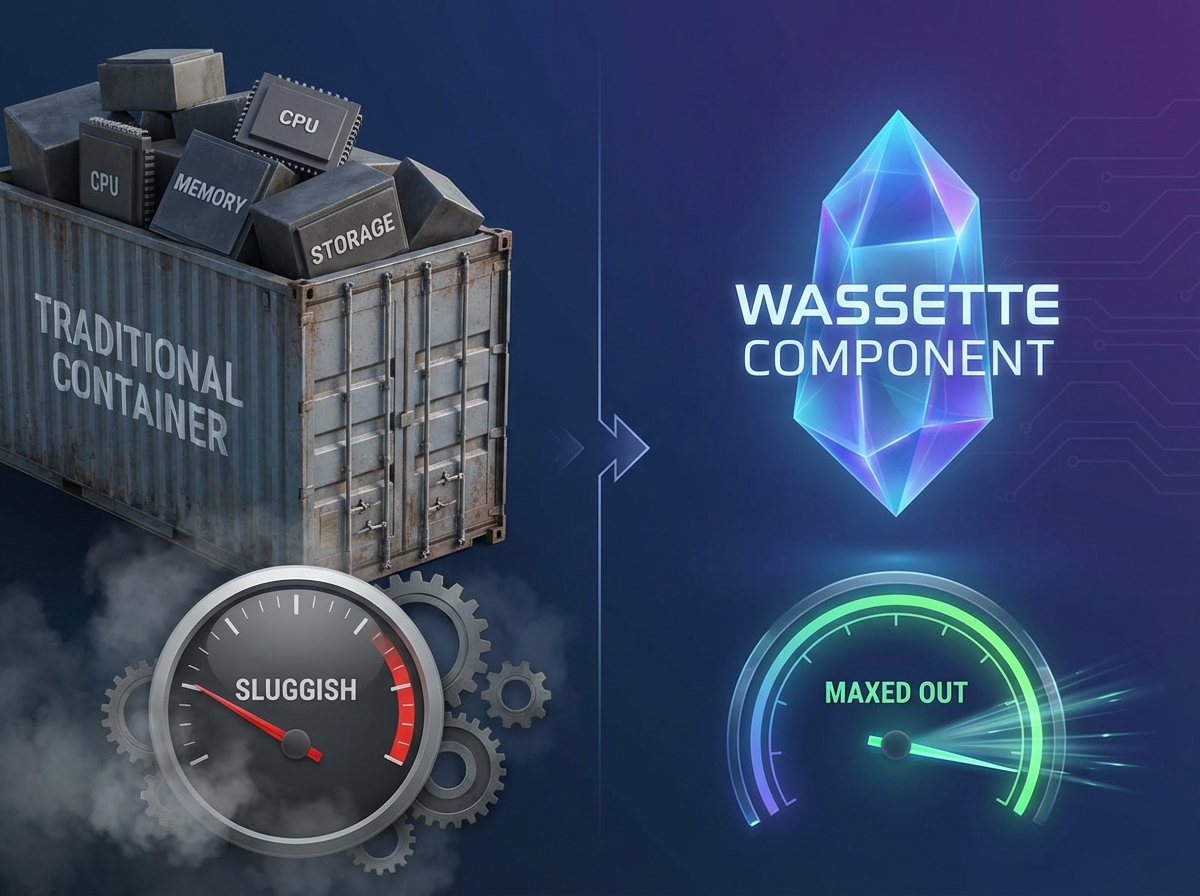
Performance Characteristics and Optimization
Wassette’s performance comes from modern WebAssembly runtimes plus Rust’s zero-cost abstractions. The main characteristics:
Memory Efficiency
WebAssembly’s linear memory model provides predictable memory usage patterns. Components operate within isolated memory spaces, preventing memory leaks from affecting other components or the host system. Memory overhead is significantly lower than container-based isolation, with typical components requiring only a few megabytes of memory.
Execution Performance
Wasmtime’s ahead-of-time compilation and optimization pipeline delivers near-native performance for WebAssembly code. Benchmarks show that well-optimized WebAssembly components can achieve 80-95% of native performance for compute-intensive operations.
Startup Latency
Component instantiation is optimized for low latency, with typical startup times under 10 milliseconds for simple components. This enables responsive tool execution without the overhead associated with container startup or process spawning.
Scalability Characteristics
Wassette’s architecture supports horizontal scaling through component isolation. Multiple instances of the same component can run concurrently without interference, and the permission system ensures that resource access remains controlled across all instances.
Integration with MCP Clients
Wassette works with existing MCP clients through a standards-compliant MCP server implementation. Setup varies by client but follows the same pattern:
Visual Studio Code Integration
For VS Code with GitHub Copilot:
# Install Wassette MCP server
code --add-mcp '{"name":"Wassette","command":"wassette","args":["serve","--stdio"]}'
Claude Desktop Integration
Add to Claude’s MCP configuration:
{
  "mcpServers": {
    "wassette": {
      "command": "wassette",
      "args": ["serve", "--stdio"]
    }
  }
}
Cursor Integration
Configure in Cursor’s settings:
{
  "mcp.servers": {
    "wassette": {
      "command": "wassette serve --stdio"
    }
  }
}
Component Distribution and Registry
Wassette distributes components through OCI (Open Container Initiative) registries, a mechanism most developers already know. Components are packaged as OCI artifacts with cryptographic signatures for integrity verification.
Publishing Components
Components can be published to any OCI-compatible registry:
# Build and publish a component
wasm-tools component new target/wasm32-wasi/release/weather.wasm -o weather.wasm
oras push ghcr.io/username/weather:latest weather.wasm
Component Discovery
Wassette includes a component registry that catalogs available components:
# Search for available components
wassette search-components

# Load a component from the registry
wassette load-component oci://ghcr.io/microsoft/time-server-js:latest
Development Workflow and Tooling
The workflow for building Wassette components is fairly simple:
Language Support
Wassette supports components written in any language that can compile to WebAssembly Components:
- Rust: First-class support with
cargo component - JavaScript/TypeScript: Via
jco(JavaScript Component Tools) - Python: Via
componentize-py - Go: Via TinyGo with component model support
- C/C++: Via Clang with WASI support
Development Tools
Essential tools for component development:
# Install component development tools
cargo install cargo-component
npm install -g @bytecodealliance/jco
pip install componentize-py

# Create a new Rust component
cargo component new my-tool
cd my-tool
cargo component build
Testing and Debugging
Wassette includes testing and debugging commands:
# Test component locally
wassette test-component ./target/wasm32-wasi/release/my-tool.wasm

# Debug component execution
wassette debug-component <component-id> --verbose
Current Development Status and Roadmap
Wassette is actively developed by Microsoft, with regular releases and community contributions. Where things stand:
Current Status (v0.2.0)
- Production Ready: Stable MCP server implementation with comprehensive permission system
- Multi-Language Support: Components can be written in Rust, JavaScript, Python, and Go
- OCI Integration: Full support for component distribution via OCI registries
- Client Compatibility: Works with all major MCP clients including VS Code, Claude, and Cursor
Roadmap and Future Development
Enhanced Security Features: Advanced sandboxing capabilities, formal verification of permission policies, and integration with hardware security modules.
Performance Optimizations: Improved component caching, lazy loading optimizations, and enhanced memory management.
Developer Experience: Integrated development environment support, enhanced debugging tools, and automated component testing frameworks.
Ecosystem Expansion: Broader language support, component composition tools, and marketplace integration for component discovery.
Comparative Analysis with Alternative Solutions
Wassette’s approach differs significantly from other MCP deployment strategies:
Container-Based Isolation
Traditional container approaches provide process-level isolation but lack fine-grained permission controls. Containers also incur higher memory overhead and slower startup times compared to WebAssembly components.
Direct Binary Execution
Running MCP servers as native binaries offers maximum performance but provides no security boundaries. This approach is suitable for trusted environments but inappropriate for executing third-party tools.
Centralized WebAssembly Platforms
Some platforms run WebAssembly tools centrally but require custom ABIs and lack interoperability. Wassette’s use of the Component Model ensures compatibility across different runtimes and tools.
Conclusion
Wassette’s bet is straightforward: run untrusted AI tools inside a WebAssembly sandbox, expose them through MCP, and hand out system access one capability at a time. You get the isolation without giving up the flexibility that made MCP worth using.
The language-agnostic Component Model is the part I find most useful. Existing tools can be recompiled to run in the sandbox, and new ones can treat least privilege as the default rather than something bolted on later.
If you’re running third-party MCP tools with full host access today, Wassette is worth a look. That default is the thing worth fixing, and this is a credible way to fix it.
Keep Reading
No Way to Say No
The small web spent a year with no way to tell my MCP server no. The criticism of gopher-mcp was mostly right, and this is what shipped because of it.
Making My Portfolio Agent-Readable: From Files to an Interface Agents Can Act On
I stopped publishing files for agents to discover and built an interface they can act on: markdown mirrors, an A2A agent card, and verifiable skills.
Building Clarissa: Learning How AI Agents Actually Work
I built a terminal AI agent from scratch to see how they really work: the ReAct loop, safe tool execution, and what context management actually takes.
Subscribe
Was this helpful?
Discuss
Ask can help explain concepts, provide context, or point you to related content.