
I wired Gopher, a protocol from 1991, into an MCP server so AI assistants can read it. Doing that turned out to be a decent lesson in system design. Protocols built on minimalist principles tend to be simpler to run and quicker on the wire than the modern equivalents, and that tradeoff still holds up for distributed systems today.
Historical Context and Protocol Evolution
Gopher showed up early, before the web had won. Instead of hypertext, it organized information into a strict hierarchy: menus of menus, with files at the leaves. It came out of the University of Minnesota, led by Mark McCahill, as a straightforward client-server design built around structured navigation rather than free-form linking.
Through the early 1990s it caught on across universities and research institutions, and for a while it beat the early web on both speed and ease of use. The design leaned on predictable navigation and almost no protocol overhead, which is exactly what you wanted on the slow, bandwidth-starved links of the day.
Protocol Competition and Market Dynamics
HTTP and HTML won anyway, and mostly for reasons that had little to do with technical merit. A few things mattered more:
- Licensing: The University of Minnesota’s intellectual property stance was ambiguous, and that uncertainty scared off commercial developers.
- Media: Gopher was built for text. The commercial internet wanted images, then everything else, and HTML could carry it.
- Flexibility: HTTP is stateless and document-oriented, which made dynamic content easy in a way Gopher’s fixed hierarchy never did.
It’s hard to look at Gopher now without thinking about what the modern web struggles with: page bloat, heavy client-side code, and constant distraction. A lot of what we now call web performance best practice is just Gopher’s minimalism arrived at the long way around.

Contemporary Gopher Protocol Revival
Gopher has quietly come back, part of a wider pull toward minimalist computing. The reasons people give tend to be the same handful:
- No presentation layer: There’s no styling, no layout, no scripts. Just the content.
- Tiny on the wire: With almost no protocol features or metadata to send, there’s very little overhead.
- Trivial to implement: The spec is short enough that you can write a client in an afternoon, and a small surface is a small attack surface.
- Easy to navigate: The rigid menu structure means fewer decisions and less to get lost in.
That minimalism is also what makes it a clean fit for MCP: there’s no presentation layer to strip away before the text reaches a model.
Model Context Protocol Integration Architecture
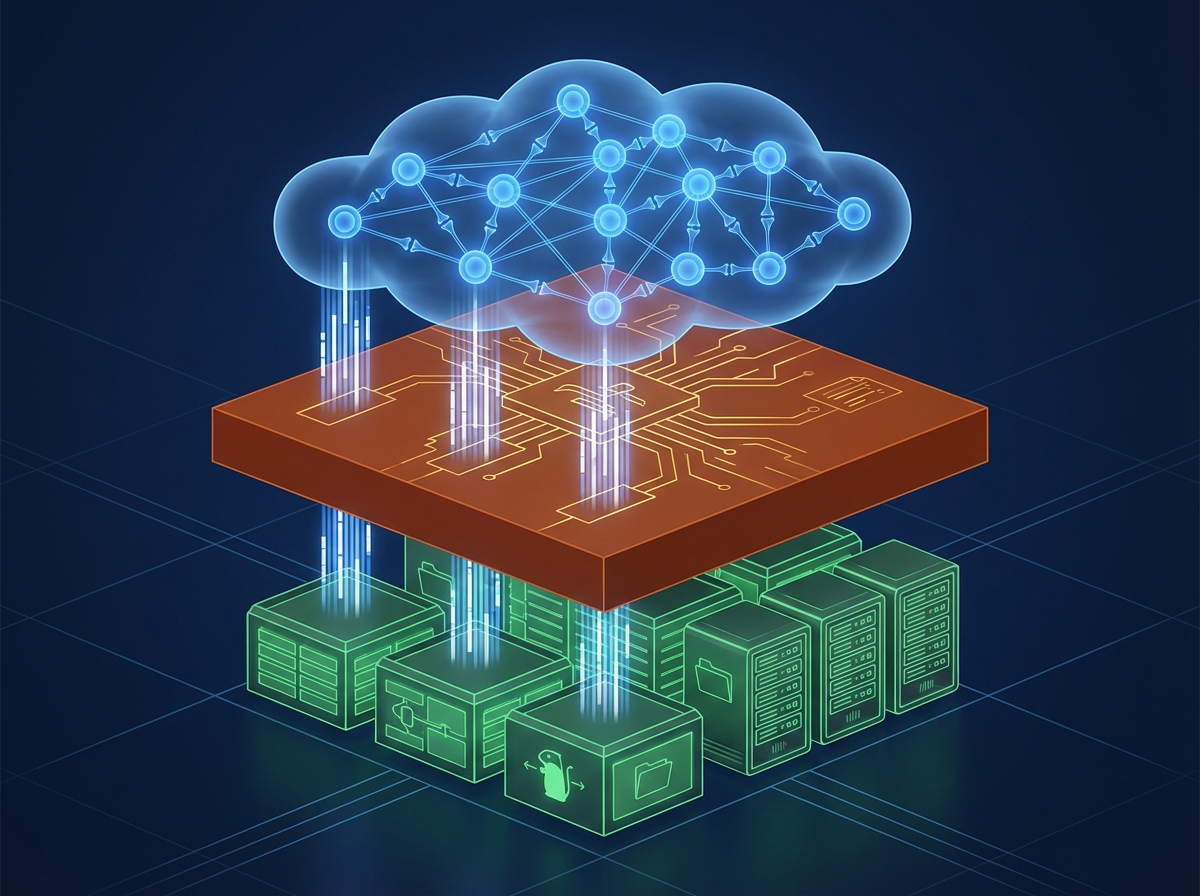
MCP sits between an AI model and whatever external resources it needs, and it does so through a capability-based permission model. The model only touches what it’s been granted, which is the whole point: let an assistant reach outside itself without handing it the keys to everything.
Explicit permissions and resource isolation are a natural match for how small and constrained Gopher already is. Put the two together and an assistant can read curated, high-quality sources without dragging in the security and complexity of a full web browser.
Building the Gopher MCP Server
Protocol Abstraction Layer
The main design decision in gopher-mcp was to handle a family of related protocols through one abstraction. Gopher and Gemini differ in the details, but they share the same basic interaction model. That overlap is worth factoring out, as long as each protocol keeps room for its own quirks:
class GopherClient(TTLCacheMixin[GopherFetchResponse]):
    """Async client for the Gopher protocol."""

    async def fetch(self, url: str) -> GopherFetchResponse:
        parsed = parse_gopher_url(url)
        ...


class GeminiClient(TTLCacheMixin[GeminiFetchResponse]):
    """Async client for the Gemini protocol (TLS, TOFU certificates)."""

    async def fetch(self, url: str) -> GeminiFetchResponse:
        ...
This is the Strategy pattern, and it earns its keep here. Both clients expose the same async fetch surface and inherit caching from a shared TTLCacheMixin. Adding a protocol means implementing that interface, not editing the core, so I can grow what the server supports without touching the parts that already work.
Gopher Protocol Implementation
The Gopher protocol is refreshingly simple. Here’s how a basic client works:
import asyncio


async def fetch_gopher(
    host: str, port: int, selector: str, *, max_bytes: int, timeout: float
) -> bytes:
    """Send a Gopher request and return the raw response bytes."""

    async def _io() -> bytes:
        reader, writer = await asyncio.open_connection(host, port)
        try:
            # Send Gopher request (just the selector + CRLF)
            writer.write(selector.encode("utf-8") + b"\r\n")
            await writer.drain()

            # Read the response in chunks, enforcing the size cap
            chunks: list[bytes] = []
            total = 0
            while chunk := await reader.read(65536):
                total += len(chunk)
                if total > max_bytes:
                    raise GopherProtocolError(
                        f"Response exceeds maximum size of {max_bytes} bytes"
                    )
                chunks.append(chunk)
            return b"".join(chunks)
        finally:
            writer.close()
            await writer.wait_closed()

    return await asyncio.wait_for(_io(), timeout=timeout)
That’s the whole protocol: send a selector, read bytes back. No status codes, no headers, no content negotiation. Less to implement, less to send, and less that can go wrong on a slow connection.
Content Type Detection
Gopher uses a simple but effective type system that predates MIME types:
_GOPHER_TYPE_CATEGORY: dict[str, str] = {
    "0": "text",    # Text file
    "1": "menu",    # Directory listing
    "7": "menu",    # Search server
    "9": "binary",  # Binary file
    "g": "binary",  # GIF image
    "I": "binary",  # Image file
    "h": "text",    # HTML document
    # ... more types
}


def gopher_type_category(gopher_type: str) -> str:
    """Return the handling category for a Gopher item type.

    One of "menu", "text", "binary" or "interactive". Unknown
    types default to "text", matching historical behaviour.
    """
    return _GOPHER_TYPE_CATEGORY.get(gopher_type, "text")
Practical Applications
Research and Documentation
The use case I keep coming back to is research. A lot of Gopher servers host high-quality, curated content:
- Academic papers: Many universities maintain Gopher archives
- Technical documentation: Clean, distraction-free technical docs
- Historical archives: Digital libraries and historical collections
These are the sources I actually point my own assistant at.
Development Workflows
Here’s a practical example of how I use the Gopher MCP server in my development workflow:
# AI assistant browsing Gopher for technical documentation
> Browse gopher://gopher.floodgap.com/1/world for information about protocol specifications

# AI assistant accessing university research archives
> Search gopher://gopher.umn.edu/ for papers on distributed systems

# AI assistant exploring historical computing resources
> Navigate to gopher://sdf.org/1/users/cat/gopher-history for protocol history
What comes back is the page’s text and nothing else.
Architecture Patterns for Protocol Servers
Resource-Centric Design
Building a protocol MCP server taught me the importance of separating concerns:
class MenuResult(BaseModel):
    kind: Literal["menu"] = "menu"
    items: list[GopherMenuItem]
    truncated: bool = False
    request_info: dict[str, Any]


class BinaryResult(BaseModel):
    kind: Literal["binary"] = "binary"
    bytes: int
    mime_type: str | None
    note: str  # binary payloads are described, not returned
    request_info: dict[str, Any]


GopherFetchResponse = MenuResult | TextResult | BinaryResult | ErrorResult
This pattern lets you swap protocol implementations without touching the MCP logic. Adding a protocol means defining its result models and a client that returns them. The MCP layer just serializes whatever comes back.

Async-First Architecture
Protocol servers need to handle multiple concurrent requests efficiently:
class GopherClient(TTLCacheMixin[GopherFetchResponse]):
    async def fetch(self, url: str) -> GopherFetchResponse:
        parsed = parse_gopher_url(url)
        self._validate_security(parsed)

        # Check cache first (TTL expiry, LRU touch)
        if self.cache_enabled:
            cached = self._get_cached_response(url)
            if cached is not None:
                return cached

        # Fetch, bounded by an asyncio.Semaphore when a
        # concurrency cap is configured
        response = await self._bounded_fetch(parsed)

        # Cache non-error responses; the mixin evicts the least
        # recently used entry once max_cache_entries is reached
        if self.cache_enabled and not isinstance(response, ErrorResult):
            self._cache_response(url, response)

        return response
Because everything runs on a single asyncio event loop, the cache is just an OrderedDict with TTL timestamps. No locks required. Concurrency is bounded where it actually matters, at the sockets.
Best Practices for Protocol MCP Servers
Error Handling
Handle errors with context:
class GopherProtocolError(Exception):
    """Raised when a Gopher request cannot be completed."""


class SSRFError(ValueError):
    """Raised when a target host/address is blocked by the SSRF policy."""


class ErrorResult(BaseModel):
    kind: Literal["error"] = "error"
    error: dict[str, str]
    request_info: dict[str, Any]
The client catches SSRFError, GopherProtocolError, and unexpected exceptions at the fetch boundary and converts them into an ErrorResult, so failures surface as structured data the model can reason about rather than an unhandled exception.
Configuration Management
Keep configuration simple but flexible:
from pydantic_settings import BaseSettings, SettingsConfigDict


class GopherConfig(BaseSettings):
    """Gopher client settings, read from GOPHER_* environment variables."""

    model_config = SettingsConfigDict(env_prefix="GOPHER_")

    max_response_size: int = 1024 * 1024  # 1MB
    timeout_seconds: float = 30.0
    cache_ttl_seconds: int = 300  # 5 minutes
    max_cache_entries: int = 1000
    allow_local_hosts: bool = False  # SSRF guard stays on by default
Architectural Insights and Design Principles
Building gopher-mcp made the link between protocol complexity and reliability concrete for me. Gopher puts content ahead of presentation, and that simplicity carries all the way up the stack.
Its simplicity also makes it a good place to learn MCP server patterns. With so little protocol to fight, you can concentrate on the parts that actually recur: resource management, caching, and error handling, without drowning in protocol-specific edge cases.
Getting Started
Want to try the Gopher MCP server yourself? Here’s how to get started:
# Run the server directly with uv
uvx gopher-mcp

# Or install it with pip
pip install gopher-mcp

# Configure your AI assistant to use it
# (specific steps depend on your MCP client)

# Start exploring Gopher space
# Try gopher://gopher.floodgap.com/ for a good starting point
The Gopher internet is small but surprisingly rich. There’s technical documentation, there’s poetry, and it all shows up in the same clean, text-first format. After a while, reading it feels like a relief.
Interested in exploring more? Visit the project documentation or check out the GitHub repository for complete implementation details and examples.
Edited September 2026: this post originally ended with a list of further small-web protocols (Finger, NNTP, IRC) that “could benefit AI assistants.” I’ve removed it, along with some framing that treated the small web as a content source first and a community second. Here’s why.
Keep Reading
Companion projectGopher MCP Server
Gives AI assistants a window into the small internet: browse menus, fetch documents, and navigate both Gopher and Gemini protocols safely.
View this project →Making My Portfolio Agent-Readable: From Files to an Interface Agents Can Act On
I stopped publishing files for agents to discover and built an interface they can act on: markdown mirrors, an A2A agent card, and verifiable skills.
ActivityPub MCP Server: Bridging AI and the Fediverse
How I taught Claude to explore the Fediverse: an MCP server that discovers actors, fetches timelines, and queries Mastodon-compatible instances.
Building Model Context Protocol Servers: A Deep Dive
What I learned building production MCP servers in Python: the architecture, caching, and security patterns shared by gopher-mcp and openzim-mcp.
Subscribe
Was this helpful?
Discuss
Ask can help explain concepts, provide context, or point you to related content.