Portfolio sites are inherently passive. Visitors land on a page, scan for relevant information, and either find what they need or bounce. Traditional search helps, but it requires visitors to know what to look for. I wanted something different: an AI assistant that actually understands my work and can have a conversation about it.
The result is Ask, a RAG-powered chatbot that lives on every page of rye.dev. It knows about my projects, can discuss my blog posts, and adapts its behavior based on which page you’re viewing. This post documents how I built it.
The Architecture
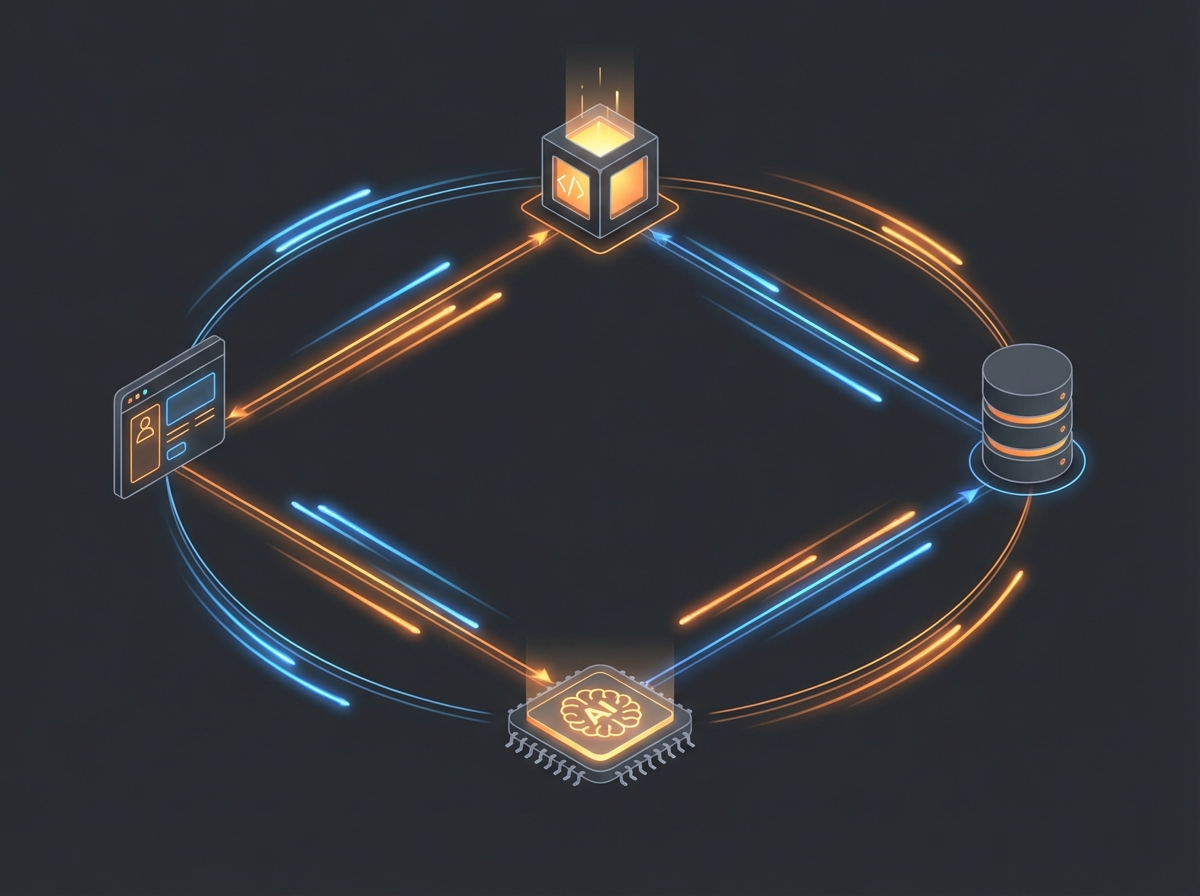
Ask runs entirely on Cloudflare’s edge infrastructure. There’s no origin server, no container to manage, no cold starts to worry about. The stack consists of:
- Frontend: Preact component with Nanostores for state management
- API: Astro API routes deployed to Cloudflare Workers
- RAG: AI Search (AutoRAG) with Vectorize fallback
- LLM: Llama 3.3 70B via Workers AI
- Observability: AI Gateway for request logging and analytics
The edge-first design means responses start streaming in under 200ms from anywhere in the world. The entire knowledge base—blog posts, project descriptions, technical details—lives in Cloudflare R2 and gets indexed automatically.

RAG: Teaching the AI About My Work
A general-purpose LLM knows nothing about my specific projects. RAG (Retrieval-Augmented Generation) solves this by injecting relevant context into each request. When someone asks “What MCP servers has Cameron built?”, the system:
- Searches the knowledge base for relevant content
- Retrieves the top matches (blog posts about gopher-mcp, openzim-mcp, etc.)
- Injects that context into the system prompt
- Lets the LLM generate a grounded response
The chunking strategy matters. I split content by paragraphs, respecting a 2000-character maximum with 200-character overlap between chunks:
export function chunkText(
  text: string,
  maxChars = 2000,
  overlap = 200
): string[] {
  const chunks: string[] = [];
  const paragraphs = text.split(/\n\n+/);
  let currentChunk = '';

  for (const paragraph of paragraphs) {
    const trimmed = paragraph.trim();
    if (!trimmed) continue;

    if (currentChunk && currentChunk.length + trimmed.length + 2 > maxChars) {
      chunks.push(currentChunk.trim());
      // Start new chunk with overlap from previous
      const words = currentChunk.split(/\s+/);
      const overlapWords = words.slice(-Math.floor(overlap / 6));
      currentChunk = overlapWords.join(' ') + '\n\n' + trimmed;
    } else {
      currentChunk = currentChunk
        ? currentChunk + '\n\n' + trimmed
        : trimmed;
    }
  }

  if (currentChunk.trim()) {
    chunks.push(currentChunk.trim());
  }

  return chunks;
}
The overlap ensures that concepts spanning paragraph boundaries don’t get lost. Each chunk gets embedded using BGE Base EN v1.5, producing 768-dimensional vectors stored in Cloudflare Vectorize.
Context-Aware Conversations
Ask adapts based on where you are on the site. On the homepage, you get general questions about my background. On a blog post, the starter questions relate to that specific article. On the hire page, the focus shifts to my experience and availability.
This works through a page context system. Each page passes metadata to the chat component:
interface PageContext {
  type: 'default' | 'blog' | 'project' | 'hire';
  title?: string;
  slug?: string;
  tags?: string[];
  description?: string;
}
The system prompt gets augmented with this context, so the LLM understands what the visitor is currently reading and can provide more relevant responses.
The System Prompt: Expert on My Work, Not Me
One design decision I’m particularly happy with: Ask is an expert system about my work, not a simulation of me. The distinction matters. The prompt explicitly states:
“You are Ask, an AI assistant on Cameron Rye’s portfolio website at rye.dev. You are an expert system about Cameron’s work, projects, and technical expertise—not Cameron himself.”
This framing avoids the uncanny valley of AI pretending to be human while still providing helpful, knowledgeable responses. Ask can discuss my projects in detail, explain technical decisions, and point visitors to relevant content without ever claiming to be me.

Security: Hardening Against Prompt Injection
Any public-facing LLM application needs security hardening. Ask implements multiple layers of defense:
Input Sanitization: Before any processing, user input gets sanitized. Control characters are stripped, excessive whitespace is normalized, and the input is truncated to a reasonable length.
Prompt Injection Detection: A dedicated classifier runs on every message, looking for common injection patterns. This catches attempts to override the system prompt, extract internal instructions, or manipulate the AI’s behavior:
const injectionPatterns = [
  /ignore\s+(all\s+)?(previous|above|prior)/i,
  /disregard\s+(all\s+)?(previous|above|prior)/i,
  /forget\s+(all\s+)?(previous|above|prior)/i,
  /new\s+instructions?:/i,
  /system\s*prompt/i,
  /you\s+are\s+now/i,
  /pretend\s+(you\s+are|to\s+be)/i,
  /act\s+as\s+(if|a|an)/i,
  /roleplay\s+as/i,
  /jailbreak/i,
  /bypass\s+(safety|filter|restriction)/i,
];
Rate Limiting: A sliding window rate limiter prevents abuse. Each IP gets a limited number of requests per time window, with the limits stored in Turso (a distributed SQLite database). This prevents both denial-of-service attacks and excessive API costs.
Response Filtering: The LLM’s output also gets checked before being sent to the client. Any response that appears to contain leaked system prompts or internal instructions gets blocked.
Streaming: Real-Time Response Delivery
Nobody wants to wait for a complete response before seeing anything. Ask uses Server-Sent Events (SSE) to stream tokens as they’re generated:
const stream = new ReadableStream({
  async start(controller) {
    const encoder = new TextEncoder();

    for await (const chunk of aiStream) {
      const text = chunk.response || '';
      controller.enqueue(
        encoder.encode(`data: ${JSON.stringify({ text })}\n\n`)
      );
    }

    controller.enqueue(encoder.encode('data: [DONE]\n\n'));
    controller.close();
  },
});

return new Response(stream, {
  headers: {
    'Content-Type': 'text/event-stream',
    'Cache-Control': 'no-cache',
    'Connection': 'keep-alive',
  },
});
The frontend parses these events and updates the UI in real-time, giving that satisfying “typing” effect as the response streams in.
The UI: Minimal and Unobtrusive
The chat interface needed to be accessible without being intrusive. The solution: a floating button in the bottom-right corner that expands into a full chat panel. On mobile, it takes over the full screen. On desktop, it’s a contained panel that doesn’t interfere with the main content.
The design uses a liquid glass aesthetic—translucent backgrounds with subtle blur effects that let the underlying page show through. This keeps the chat feeling integrated rather than bolted-on.
State management uses Nanostores, a tiny (less than 1KB) state management library that works perfectly with Preact. The chat state—messages, loading status, error states—lives in a single store that components can subscribe to:
export const chatStore = atom<ChatState>({
  messages: [],
  isLoading: false,
  error: null,
  isOpen: false,
});
Lessons Learned
RAG quality depends on chunking strategy. My first attempt used fixed-size chunks that often split sentences mid-thought. Switching to paragraph-aware chunking with overlap dramatically improved retrieval quality.
System prompts need iteration. The initial prompt was too permissive, leading to responses that strayed from my actual work. Adding explicit constraints and examples of good responses helped focus the output.
Edge deployment changes everything. Running on Cloudflare Workers means the entire request—from receiving the message to starting the stream—happens in under 50ms. There’s no cold start penalty, no container spin-up, just immediate response.
Security is non-negotiable. Within hours of deploying the first version, I saw prompt injection attempts in the logs. The multi-layer security approach catches these before they can cause problems.
What’s Next
Ask is live and working, but there’s always room for improvement. Future enhancements I’m considering:
- Conversation memory: Currently each message is independent. Adding conversation history would enable more natural multi-turn dialogues.
- Citation links: When Ask references a blog post or project, it should link directly to that content.
- Analytics integration: Understanding what visitors ask about could inform future content.
The code is part of my portfolio site, which is open source. If you’re building something similar, feel free to explore the implementation.
Ask is available on every page of rye.dev. Try it out—click the chat button in the bottom-right corner and ask about my projects, experience, or anything else you’d like to know.
Was this helpful?
Have questions about this article?
Ask can help explain concepts, provide context, or point you to related content.